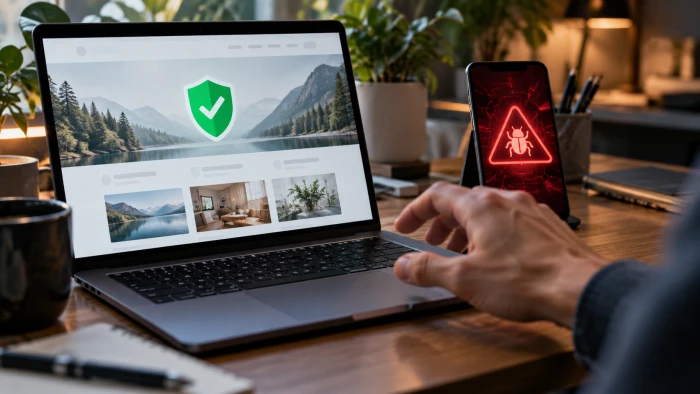
The checks a browser and a scanner run are real, and they are useful. The problem is that they were built to answer narrow technical questions. Is the connection encrypted. Does the page load quickly. Does it carry any known malware. None of those is the same as the question a visitor actually cares about: can the people behind this site be trusted with money or personal details.
That gap is exactly where modern fraud operates. A growing number of fake and low-trust websites are engineered to pass the automated layer, because passing the automated layer is the easy part. They display the padlock, they load fast, they come wrapped in review widgets and policy pages, and a surface scan waves them straight through. The site passes the machines. It fails the review, the closer look that weighs who runs it and why, and that second exam is the one that protects a shopper, a client, or a reader from getting burned.
THE SHORT VERSION Automated checks confirm that a site is technically sound. They cannot confirm that it is honest. The signals that prove trust, or expose a scam, live in a closer review that no single scan performs for you. |
What the machines actually check
Each automated test is good at one job and silent on everything else. Lined up side by side, the limits become obvious. Every item below can read as a clean pass on a site that is still unsafe.
| Automated check | What it confirms | What it cannot tell you |
| HTTPS and the padlock | The connection to the site is encrypted | Whether the owner is honest or the site is legitimate |
| Malware and Safe Browsing scan | No known malware is flagged right now | Whether the business behind it is real or will ship anything |
| Load speed and mobile layout | The page is fast and renders on a phone | Whether the content and offers are truthful |
| Valid code and basic accessibility | The markup is clean and structured | Whether the identity and reviews are genuine |
| AI-content detection | A guess at whether text was machine written | Whether the page is useful, accurate, or trustworthy |
The padlock is the clearest example of a signal people over-read. It only means traffic between the browser and the server is encrypted. Domain-validated certificates are now free and can be issued in minutes, so the padlock no longer reflects any vetting of the owner. Security researchers at PhishLabs found that by late 2018 roughly half of phishing sites already carried it, and the share kept climbing. Today more than nine in ten pages load over an encrypted connection, which is why Google retired the padlock icon in Chrome in September 2023, and why the FBI had already warned the public in 2019 not to treat it as a safety signal.
Clean scan, dirty site: why polish is no longer proof

A professional-looking website used to imply effort, and effort used to imply a real business. That link is broken. Templates and AI website builders now produce a slick, fast, mobile-ready site in minutes, for almost nothing. Polish has become cheap, so polish has stopped being evidence.
Fraud networks lean on this directly. They launch a clean store, fill it with professional product photos and familiar reassurance signals, collect payments, then abandon the domain and spin up a near-identical copy under a new name. The same templates and tactics get reused across hundreds of fake stores a month. On a surface scan, each new clone looks fine. It is encrypted, it loads, it has a returns page. Everything a machine can see checks out, and none of it is true.
What the review looks for that no scanner can
A closer review asks a different set of questions, and these are the ones that separate a real operation from a disposable front. Each item below is a signal a careful check weighs and an automated scan ignores.
DOMAIN HISTORY
How old is it, and who owns it
A domain registered days or weeks ago, hidden ownership, or an aged domain paired with a brand-new certificate are all worth a pause, especially for a store claiming an established brand.
Red flag: a "trusted since 2009" claim on a domain that is three weeks old.
VERIFIABLE IDENTITY
Can the business be found off the site
Real companies list a physical address, a working phone, and a domain email. A free Gmail address, no address at all, or contact that pushes you to WhatsApp or Telegram points the other way.
Red flag: the only way to reach "support" is a messaging app.
ORIGINAL IMAGERY
Are the photos actually theirs
Fake stores reuse product photos lifted from legitimate retailers. A reverse image search often finds the same pictures on dozens of other sites, or reveals plain stock images standing in for real work.
Red flag: the hero image appears on ten unrelated stores.
AUTHENTIC REVIEWS
Is the social proof manufactured
Watch for reviews that all posted on the same day, show impossible dates, or use stock-photo faces. Widgets styled to look like Trustpilot often vanish when you check the real platform directly.
Red flag: a review dated last month on a two-week-old domain.
HONEST OFFERS
Is it rushing you past your judgment
Countdown timers that reset on refresh, "only two left" banners, and discounts like 90 percent off or final liquidation exist to push a purchase before a visitor stops to think.
Red flag: a timer that restarts every time the page reloads.
REAL FOOTPRINT
Does the business exist elsewhere
Legitimate operations leave a trail: active social accounts, independent mentions, and content that reads like a real person who has done the work rather than interchangeable filler.
Red flag: no trace of the name anywhere beyond its own pages.
A familiar pattern Picture a store that arrives through a social ad with steep discounts. The layout is clean, the product shots look professional, the checkout is smooth, and the padlock sits in the address bar. On a quick scan it passes: encrypted, fast, no malware flag, every policy page present. By the surface tests, it looks like a safe place to shop. The review tells a different story in about two minutes. The domain was registered three weeks ago. A reverse image search shows the product photos across a dozen unrelated stores. Every review landed on the same date, each with a stock-photo avatar, and none of them exists on the platform they claim to be from. A countdown timer resets on refresh. There is no physical address, and the contact link opens WhatsApp. Nothing a scanner measured was wrong. Everything that actually matters was. |
Two exams, two different questions
Once the two layers are set next to each other, the result stops being surprising. The scanner and the review were never grading the same thing.
| The machine asks | The review asks |
| Is the connection encrypted? | Who is actually behind this site? |
| Does the page load fast? | Does this business exist anywhere else? |
| Is there any known malware? | Are the photos and reviews genuine? |
| Is the markup clean and valid? | Is the offer honest, or is it rushing me? |
| Is the text probably human? | Is there any real reason to trust these people? |
A clean technical scan is worth having. It is a genuine first layer, and a site that fails it deserves no further thought. It simply is not the finish line. Trust is decided one layer deeper, and that layer takes a few deliberate minutes.
How to check a site before you trust it
None of this requires special tools. These steps turn a surface impression into an informed decision, and they are worth running before any new site gets a card number or personal details.
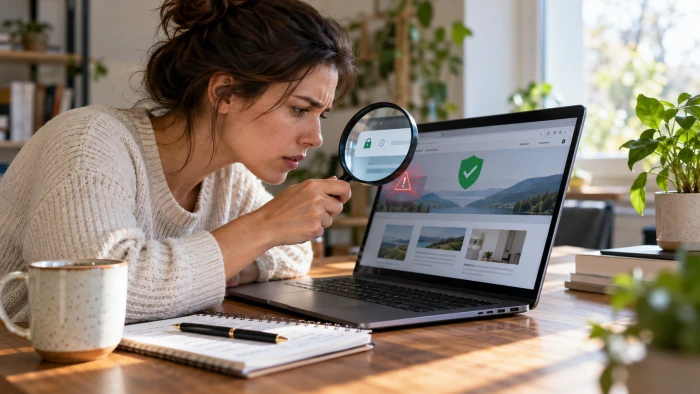
1. Read the padlock for what it is. It confirms encryption and nothing more. Its presence is not a safety signal, and plenty of scam sites display it.
2. Look up the domain age. A very new domain behind a brand that claims years of history is a reason to slow down, not speed up.
3. Reverse image search the photos. If the product or team images appear on many other sites, the pictures were borrowed, and the trust they borrow is fake too.
4. Verify the identity off the site. Find a real address, a working phone, and a domain email. Treat a messaging-app-only contact as a warning.
5. Check reviews on independent platforms. Do not rely on the widget on the page. Search the name on neutral review sites and see whether the praise holds up.
6. Treat urgency and extreme discounts as warnings. Countdown timers, near-empty stock banners, and 90 percent off are pressure tactics far more often than real deals.
7. Use a reputation check and a plain search. Google Safe Browsing Site Status flags known bad sites, and searching the name with the words reviews or scam surfaces other people's experiences.
The bottom linePassing the machines proves a website is built properly. It does not prove the people behind it will do what they promise. Encryption, speed, and a clean malware scan are the baseline every serious site should clear, and clearing them says nothing about honesty. The review is where trust is actually earned or lost: a real identity, original photos, authentic reviews, honest offers, and a footprint that exists beyond a single set of pages. A site can look flawless and still fail every one of those. Run both layers, and give the second one the few minutes it deserves, because that is the exam that decides whether a site is safe to use. It is also the layer a hands-on checker like SiteScano is built around, putting genuine manual effort into vetting a site rather than relying on scans alone, which is what actually helps a visitor stay secure. |